

Brand book

How loom.studio looks, sounds and moves — rules, live examples and files in one place.

Version 1.0 · [DO UZUPEŁNIENIA: date]

01

Introduction

loom.studio is a design subscription studio: one monthly price, one request at a time, a 48-hour average delivery. The identity says what the offer says — order, clarity and nothing beyond what is needed.

Effective design for your company

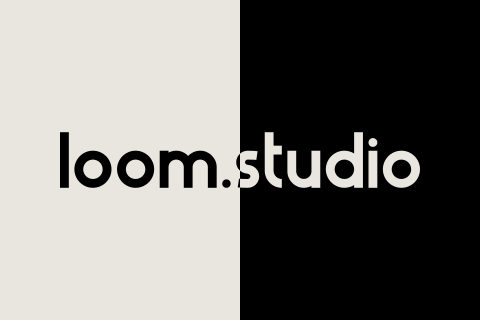
The hero in miniature: the logo on the axis, a living gradient on the ink, the composition on the paper. Switch the theme — the plate inverts with the page.
  • Order

    One axis, one grid, one gap between sections.

  • Figure

    Square, circle and triangle guide you through the page — navigation, not decoration.

  • Measured motion

    Only transforms, opacity, clipping and size move; with reduced motion everything stands still.

How to read this book

  1. Switch the theme in the top right corner — every example changes live.
  2. Click a colour to copy its value.
  3. Files are in section 11.

Name

Spelling
loom.studio — lowercase, one word, the dot included. Also at the start of a sentence: “loom.studio is…”.
Never
“Loom Studio”, “LOOM.STUDIO”, “Loomstudio”, “loom studio”, “Loom”.
Possessive
loom.studio’s — the name itself never changes.
Domain
[DO UZUPEŁNIENIA] — in the site config: loomstudio.pl

03

Colours

Paper and ink carry the page; three primaries give it rhythm. Every value works in the light and the dark theme.

Proportions

The primaries are figures and accents, not backgrounds.

Core colours

Fixed

These never invert with the theme — for surfaces that are always dark or always white.

Accents and gradient shades

Accents

Dark shades

Light shades

Third parties

The shades live only in gradients (content/gradients.ts, content/flow-palettes.ts) — never in text or buttons.

Two themes

Light theme

One request at a time, a 48-hour average delivery.

Book a callSee the plan

Dark theme

One request at a time, a 48-hour average delivery.

Book a callSee the plan

The theme is data-theme on <html> or prefers-color-scheme; the choice is kept in the loom-theme cookie. Every token holds two values in light-dark() — here you see both at once. Of the primaries only blue changes: #4F59DB in the light theme, #6A73E4 in the dark one.

Contrast

PairRatioUse
Ink on paper (and back)#000000 / #E8E6DF16.82 : 1All text
Bone on night#E8E6DF / #040C0D15.81 : 1All text
Bone on deep purple#E8E6DF / #2D053214.26 : 1All text
Black on yellow#000000 / #F0CA4213.23 : 1All text
Black on pink 1#000000 / #F182CF8.83 : 1All text
Blue on white#4F59DB / #FFFFFF5.55 : 1Text
Red on black#ED3434 / #0000005.14 : 1Text
Blue on black (dark theme)#6A73E4 / #0000005.19 : 1Text
Blue on paper#4F59DB / #E8E6DF4.44 : 1Large text and graphics
White on red#FFFFFF / #ED34344.08 : 1Large text and graphics
Red on paper#ED3434 / #E8E6DF3.27 : 1Large text and graphics
White on pink 2#FFFFFF / #EF55883.32 : 1Graphics only
Mid on paper#A6A6A6 / #E8E6DF1.95 : 1Never text
Yellow on paper#F0CA42 / #E8E6DF1.27 : 1Never alone — with a 2 px ink outline

Rules

  • Do

    Colours only through tokens and light-dark().

    That is what makes both themes work by themselves.

  • Don’t

    New HEX values in components.

    A new shade starts in styles/globals.css or in the gradient presets.

  • Do

    Primaries for figures, active states and single accents.

    Rhythm, not wallpaper.

  • Don’t

    Primary-coloured body text on paper.

    Red on paper is 3.27 : 1, blue 4.44 : 1 — too little for text.

  • Do

    Selection: a yellow background and black text. Focus: a 3 px --blue outline, 3 px off the element.

    Both states look the same everywhere on the site.

  • Don’t

    Tints or see-through versions of the primaries.

    Planes are solid.

  • Do

    Yellow on paper always with a 2 px ink outline.

    Alone it has 1.27 : 1 — without the outline the triangle disappears.

  • Don’t

    Gradient shades in text or buttons.

    They live only in gradients.

04

Typography

One typeface — Haus — in four weights and four sizes per screen. Hierarchy comes from weight, colour and space, not from another size.

Typeface

Haus

Haus — alphabet, figures and signs

Designer
Pier Francesco Martini, 2013
Foundry and licence
[DO UZUPEŁNIENIA]
Files
Self-hosted WOFF2 (public/fonts/haus/): Light 300, Regular 400, Medium 500, Bold 700. font-display: swap; preloaded 300, 500, 700.
Fallback
“Haus Fallback” = Arial with metric overrides (ascent 100.09%, descent 25.6%, line-gap 2.86%, size-adjust 91.02%), then system-ui. The swap does not shift the layout.
Italics
Part of the licence package but not used — emphasis is weight, never italic.

Weights

  • Light 300Body copy, leads, eyebrows, bullets, the claim on dark surfaces.
  • Regular 400Fine print, captions, tables, the white field (invitation and composer).
  • Medium 500Buttons, step titles, the hero title, the price, emphasis in lists, contents numbers.
  • Bold 700The wordmark, section titles (H2) and page titles (H1), the language code.

Scale

RoleDesktop ≥ 1024Tablet 640–1023Phone < 640Line-height
D — Display--fs-dtext-d6056481 · −0.01 em
T — Title--fs-ttext-t3632281.15
M — Main--fs-mtext-m2422181.4 (paragraphs), 1.2 (UI)
S — Small--fs-stext-s1616141.4

Live, at this screen’s sizes

Brand book

D · on this screen: —

Typography

T · on this screen: —

One request at a time, a 48-hour average delivery.

M · on this screen: —

A caption under a plate, fine print, a table.

S · on this screen: —

Roles

Section title (H2)
D Bold; T Bold in the FAQ and in this book
Hero title
D Medium
Price
D Medium, the period M
Eyebrow
M Light
Step title
T Medium
Body copy
M Light
Button
M Medium; capitals only in the two hero buttons and the FAQ’s “Ask our assistant”
White field
M Regular, #000
Fine print
S Regular
Contents title
S Medium, capitals, +0.06 em
Logo
T Bold

Tester

Rules

  • Do

    Headings with text-wrap: balance, paragraphs with pretty; running text up to 720 px.

    Even lines, no widows or orphans.

  • Don’t

    A fifth size or an inline font-size.

    Stylelint and an e2e test keep it at four sizes per view.

  • Do

    Polish quotes „…”, English “…”; a spaced em dash “ — ”; a single-character ellipsis “…”.

    Typography, not typewriting.

  • Don’t

    Italics or underlining for emphasis.

    Weight does the emphasis.

  • Do

    A non-breaking space after one-letter Polish words (a, i, o, u, w, z); prices only through Intl.

    Nothing is left hanging at the end of a line.

  • Don’t

    Justified text, sentences in capitals, letter-spacing on body text.

    Justification opens gaps between words; capitals and tracking tire the eye.

05

Icons

Simple figures on a 24 px grid, one colour, no rounded ends. Direction is shown by a triangle, never an arrow.

Section glyphs

  • stairsOur process · 4.7 s
  • arrowOur work · 4.4 s
  • starPricing · 10 s
  • dropTestimonials · 4.6 s
  • questionFAQ · 2.6 s
  • atContact · 5 s

This is how they look in the section headers — at their real size.

  • Our process
  • Our work
  • Pricing
  • Testimonials
  • FAQ
  • Contact

BauhausGlyph in a 20 / 18 / 15 px box (desktop / tablet / phone), 8 px from the eyebrow. Enlarged to 64 px on the tiles. Each glyph has its own loop; it stops off-screen and stands in its resting shape with reduced motion.

UI glyphs

Glyph, a 24 × 24 box, the colour of the text (currentColor), 2–2.5 px strokes with butt ends. Click an icon to copy its SVG code. The Google Forms mark keeps its own purples #7248B9 / #A78BDA. Send and external are still arrows — in new places direction is shown by Tri.

Direction

  • right · 0°links, next month
  • down · 90°download, to the latest
  • left · 180°back, previous month
  • up · 270°collapse a review
HomeDownload the brand kitAsk the assistant

Tri: a filled 10 × 12 triangle, path M0 0 10 6 0 12Z, the colour of the text, 8 px from the label. We rotate it by 0 / 90 / 180 / 270° — we never draw new arrowheads.

System icons

  • light theme30 × 30
  • dark theme30 × 30
  • assistant markØ 48
  • loader22 × 22
  • access codeafter 3 / 6 / 8 characters

Hover the sun or the moon: the morph takes 450 ms, the rays start 20 ms apart. The assistant mark is a pink circle with a white square that turns 90°. The loader turns a square into a circle and a triangle every 600 ms.

Tool and social logos

  • Next.js
  • Discord
  • Framer
  • Wix
  • Blender
  • Figma
  • Instagram
  • Facebook
  • GitHub
  • X
  • Behance
  • Dribbble
  • Linktree
  • Trello
  • LinkedIn
  • After Effects
  • InDesign
  • Next.js
  • Discord
  • Framer
  • After Effects
  • Wix
  • InDesign
  • Blender

In use: the tools strip, 56 px, 40% opacity (100% on hover). Paths from simple-icons (CC0); the trademarks belong to their owners. LinkedIn, After Effects and InDesign are drawn by us. They are not part of our brand and are not in the download kit.

Rules

  • Do

    A 24 px grid, one colour

    Fills or a 2–2.5 px stroke in the colour of the text (currentColor).

  • Don’t

    Arrow characters and emoji

    Direction is shown by Tri only.

  • Do

    A label only where the icon is alone

    Next to text the icon is aria-hidden; alone in a button it gets an aria-label, e.g. “Copy e-mail”.

  • Don’t

    Rounded line caps

    Ends are butt and joins are square — like the Bauhaus figures.

  • Do

    A hit area of at least 24 px

    44 px recommended — on phones and in rows of buttons.

  • Don’t

    Two-tone icons and icon fonts

    One colour, SVG in the code. Exceptions: Google Forms and the assistant mark.

06

Graphic marks

Square, circle and triangle are our navigation and our signature. Each figure has its own colour and meaning.

Composition

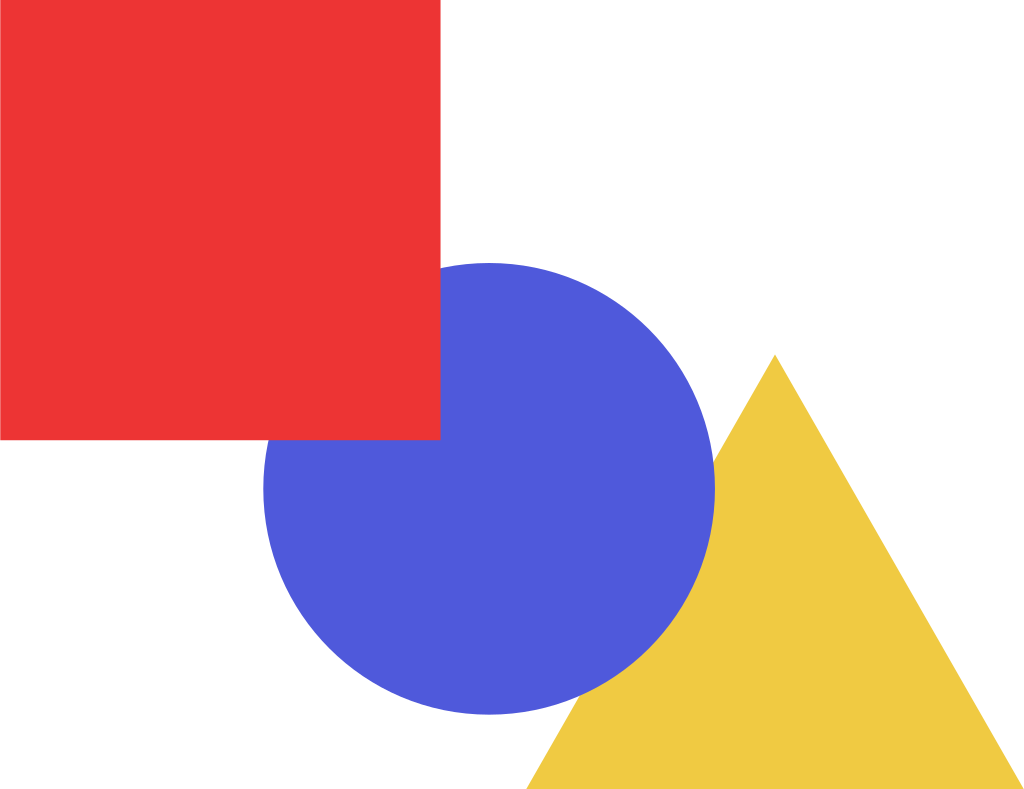
The hero composition at 2 : 1. Box 179 × 138; square 77 × 77 at (0, 0), circle Ø 79 at (46, 46), triangle 87 × 76 at (92, 62), apex up. Layers from the bottom: triangle, circle, square.

Meaning

  • Portfoliosubstance: work you can seeRed · --red · #ED3434
  • Testimonialspeople: clients in their own wordsBlue · --blue · #4F59DB / #6A73E4
  • Showreelmotion: film and animationYellow · --yellow · #F0CA42

In the brand marks the mapping is fixed: the square is red, the circle blue, the triangle yellow. They are always listed in this order; the exceptions are in the rules below.

Behaviour

Hover a figure.

  • Portfolio shatters into 4 × 4 tiles420 ms
  • Testimonials becomes a drop250 ms
  • Showreel turns into a play sign350 ms

This is how the hero figures respond: the square leads to the portfolio, the circle to the testimonials, the triangle plays the film. Shatter: tiles fly 8 + 6·|d| px out, turn −12 / −6 / 6 / 12°, corner tiles shrink to 0.86. With reduced motion the figures stand still.

Figures in use

Document tabs: a 2 px outline at rest, colour when active.
Access code: the figures fill after 3, 6 and 8 characters.
Loader: square, circle, triangle — a change every 600 ms (shown 2×).
Process: the yellow square is your request — the call day, the card on the board, the finished design.
The film's last shot: the figures come together as a circle in a square.

Rules

  • Do

    Flat, in solid colour

    Each figure has one primary colour: a red square, a blue circle, a yellow triangle.

  • Don’t

    Gradients, shadows, outline plus fill

    The one exception: yellow on a light surface gets a 2 px ink outline.

  • Do

    Order: square, circle, triangle

    The same in the hero, the tabs, the access code and the loader.

  • Don’t

    Other colours and other figures

    Exceptions: the yellow request in the process scenes, the film's red dot and black triangle, and the assistant mark. A star only in the pricing glyph.

  • Do

    Rotation only in motion

    At rest the figures stand upright and keep their proportions.

  • Don’t

    The portfolio placeholder marks

    The circle in a square, the bars and the horizon fill the grid — they are not brand marks.

07

Gradients & glows

Living gradients are surfaces, not decoration: they flow slowly, in the brand's colours, and stop when nobody is looking.

Gradient lab

WebGL ramp work-ember, darkest first

The seven gradients of the case-study grid: a CSS poster (OrganicGradient) with the liquid WebGL layer (FlowGradient) over it — exactly as in a portfolio cell. “Pause” leaves the poster alone. Click a ramp colour to copy it.

Site surfaces

  • hero-ink

    base #000000 / #E8E6DF · blobs #0F2A33 / #F4D9E6, #1B1F5E / #EDE3BD, #2D0532 / #D9DCF3, #3A0A12 / #E3D6E8 (light / dark theme) · WebGL ramp hero

    The left half of the hero on desktop. Inverts with the theme.

  • night-teal

    base #040C0D · blobs #0F2A33, #06303A, #1B1F5E · WebGL ramp contact-left

    Contact: the left panel on desktop, the whole block on tablet and phone.

  • night-plum

    base #0B0410 · blobs #2D0532, #3A0A12, #1B1F5E · WebGL ramp contact-right

    Contact: the right panel on desktop.

  • assistant-bloom

    base #EF5588 · blobs #F182CF, #4F59DB, #ED3434, #F0CA42

    The assistant panel on tablet and phone, under one layer of glass.

Motion

Blobs
Ellipses radial-gradient(62% 44%), no blur. Sized in cqmax, so the look holds at any aspect ratio.
Three moves
og-drift, og-breath, og-turn — drift, breath and turn, each with its own duration, so the path never repeats.
Calm
23–71 s, amplitude 9%, breath 0.92–1.12 — hero-ink, night-teal, night-plum, assistant-bloom.
Gentle
24–47 s, amplitude 5%, breath 0.95–1.08 — ember, ultramarine, sun, orchid, night, blush, paper.
WebGL
Domain-warped fBm at half resolution (at most 1280 × 720), up to 30 frames per second (24 on touch screens). Starts after the page has loaded, when the browser is idle; stops off-screen and in a hidden tab.
Without WebGL
With reduced motion, Save-Data, two cores or fewer, or software rendering, the CSS poster stays.
Contrast
The lightest colour of the dark ramps has a luminance of 0.03 — paper-coloured text always keeps at least 11.2 : 1 on them.

The one static gradient

--pink-gradient: linear-gradient(180deg, #F182CF 0%, #EF5588 100%). It is the assistant's colour and nothing else's — the assistant mark is the only button with a gradient.

Glows and grain

  • hero-mobile.avif

    1170 × 1980 · 1.9 kB

    The main hero panel on phones: a glow on --color-night.

  • hero-tablet.avif

    1668 × 2176 · 2.8 kB

    The main hero panel on tablets: the same glow, a wider crop.

  • testimonial-bg.avif

    2400 × 1680 · 4.2 kB

    The testimonial cards: indigo and plum on #2D0532.

  • Grain · opacity 0.06

  • Grain · opacity 0.6

The glows are AVIF bitmaps (with a WebP fallback), used where there is no living gradient. The grain /media/grain.png is tiled every 128 px at 0.06 opacity — the only texture of the brand. Next to it, the same grain ten times stronger, so you can see it.

The only shadow

System glassrgba(232, 230, 223, 0.58) / rgba(16, 16, 16, 0.62)blur(20px) saturate(140%)

Only system glass has a soft shadow: the top navigation, the dock, the assistant and the cookie card, always with data-surface="glass". There are no shadows or drop-shadows anywhere else. The full glass spec is in section 09.

Rules

  • Do

    A gradient as a surface behind content

    A panel background, a portfolio cell, the hero — never a lone element on paper.

  • Don’t

    Gradient text, logos or buttons

    The one exception is the assistant mark.

  • Do

    Only palette colours and the listed shades

    A new preset goes into content/gradients.ts and content/flow-palettes.ts — the CSS poster first, then the ramp.

  • Don’t

    Blur filters, glows behind text, stock meshes

    The blobs are sharp ellipses in motion — the softness comes from motion, not from a filter.

  • Do

    Check contrast on the extreme frames

    Text has to read on the lightest and on the darkest frame.

  • Don’t

    Motion that cannot stop

    Off-screen, in a hidden tab and with reduced motion the gradient stands still.

08

Photos / films

We show the work, not stock. The film plays silently without controls, and only real clients’ faces may appear in testimonials.

Promo film

loom.studio promo film

16 : 9 — the showreel window on desktop

loom.studio promo film

9 : 16 — the carousel panel on tablet and phone

The mock-up plays for now — we will add the real film soon. [DO UZUPEŁNIENIA]

Playback
Silent, looped, inline (muted, loop, playsinline). No controls, picture-in-picture or AirPlay. Never YouTube.
Visibility
Sources load at 10% visibility, the film plays from 60% and stops below it — and in a hidden tab.
Reduced motion
The poster instead of the film (shot 2). The same when the browser blocks autoplay.
Files
Portrait 720 × 1280 px, H.264 up to 4 MB (+ optional WebM) and landscape 16 : 9; 15–30 s, no audio track; AVIF poster up to 60 kB.
Where
public/media/promo/ or Vercel Blob, URLs in the NEXT_PUBLIC_PROMO_* variables. [DO UZUPEŁNIENIA]

The mock-up storyboard

  1. 01 · Black0–3 s

    The wordmark assembles letter by letter; the dot drops in as a red circle.

  2. 02 · Paper3–6 s

    Grid lines draw; the square, circle and triangle slide in.

  3. 03 · Blue6–9 s

    An app screen scrolls; a yellow element pops in.

  4. 04 · Yellow9–12 s

    Three shapes orbit and assemble into a circle in a square.

A 12 s loop: four 3 s shots. Every cut is a flat wipe from the left (clip-path), never a dissolve.

Rules for future films

--ease-bauhaus

cubic-bezier(0.7, 0, 0.3, 1) · Moves, wipes, morphs

--ease-out

cubic-bezier(0.2, 0.8, 0.2, 1) · Arrivals and hovers

Rhythm: a 3 s shot, a wipe of about 0.4 s, a 12 s loop.

  • Do

    Brand colours only. Grain up to 6%.
  • Don’t

    Filters, duotones and LUTs outside the palette.

    The film should look like the site, not like a stock ad.

  • Do

    A cut is a flat wipe — as in the mock-up.
  • Don’t

    Dissolves, blurs and flashy transitions.

    Bauhaus cuts with planes; a dissolve blurs the form.

  • Do

    The only type in the frame is the wordmark (Haus Bold).
  • Don’t

    Captions, slogan cards, voice-over and music.

    The film plays muted — the picture has to speak for itself.

  • Do

    Real screen recordings of real projects.
  • Don’t

    Stock shots of people, offices and laptops.

    We show the work, not stock.

Portraits

Testimonial — monogram
Badge — circles in the primaries

There are no faces on this page — only the stand-ins the site shows while a photo is missing. A portrait goes on the site only with the consent of the person in it.

Who
Real clients who agreed to their image. For previews only — AI portraits of people who do not exist (check the generator’s commercial licence). Never stock photos of real people.
Portrait
256 × 256 px, AVIF and WebP up to 40 kB, a 1 : 1 crop around the focal point (default 50% 35%) — pnpm avatars.
Thumbnail
64 × 64 px up to 6 kB — for the badge above the title and in the pricing card.
Shape
A circle, no frame, no shadow.
Missing file
A monogram in testimonials, a primary-colour circle in the badge.
AI preview
A plain warm light-grey background #E8E6DF, soft window light from the left, an 85 mm lens, a square frame, no text, no logos.

Project visuals

White logo — on a dark or saturated gradient · ember
Black logo — on a light gradient · sun
Logo in a cell
Centred, width min(52%, 220 px), height up to 42%, trimmed to the mark — pnpm logos:trim. SVG or transparent PNG / WebP.
Background
A living gradient from the brand palette — never a photo.
Pricing reels
A 288 × 180 px box — a CSS scene or a muted loop up to 1 MB.

Rules

  • Do

    Real work and real clients — with their consent.
  • Don’t

    Stock photos of people, invented testimonials, AI faces captioned as clients.

    A testimonial is worth something only when it is real.

  • Do

    Alt text says what the image shows. A decorative image has an empty alt.
  • Don’t

    Alt text like “image”, “photo1.jpg” or a repeated caption.

    A screen reader reads it out loud.

  • Do

    AVIF and WebP with explicit sizes (width, height) — nothing jumps.
  • Don’t

    Off-palette filters, sound that plays by itself, player controls.

    The picture should belong to the page, not to a player.

09

Graphic elements

Buttons, the white field, glass, lines and planes — a small kit the whole site is built from.

Buttons

Hover a button to see the fill.

On paper

Book a call.btn--solid-inkLearn more.btn--outlineView plan.btn--yellow

On ink

View plan.btn--solid-paperBook a call.btn--yellowLearn more.btn--outline-card

On fixed dark surfaces

View plan.btn--solid-lightFill in the form.btn--outline-light
Height
--pill-h: 56 / 64 px — one for every button, the navigation and the dock.
Padding
--pill-px: 24 / 28 / 32 px
Label
M, Medium 500, sentence case; capitals only in the two hero buttons and “Ask our assistant” in the FAQ. On phones a long label wraps to two lines within the same height.
Shape
radius 999 px (fully round), a 2 px border in the text colour (1.5 px on the dark card).
Hover
the fill wipes in from the left: clip-path from inset(0 100% 0 0) to inset(0 0 0 0) in 220 ms (--ease-bauhaus).
Press
scale(0.97), 120 ms.

The white field

Ask how the subscription works…
the invitation in the top navigation
Ask about the plan, process or price…
the assistant's composer
Colour
background #FFF, text #000 — the same in both themes.
Height
--pill-h − 12 px = 44 / 52 px; fully rounded at one line, no border, no shadow.
Text
M, Regular 400.
Placeholder
#595959 (7 : 1 on white); the send button: a black Ø 34 / 40 px circle with a triangle.

Glass

Tint
rgba(232, 230, 223, 0.58) / rgba(16, 16, 16, 0.62) (light / dark theme)
Backdrop
blur(20px) saturate(140%)
Rim
a 1 px border and 5 px of padding — 6 px around the content in all.
Assistant
--chat-glass rgb(232 230 223 / 0.8) / rgb(16 16 16 / 0.78), --chat-blur 28px.
Cookie card
radius 28 px outside, 20 px inside.
Where
System chrome only: the top navigation, the dock, the assistant, the cookie card — always with data-surface="glass". Never content cards, pricing or the portfolio.

Lines and frames

  • 2 pxfigure outlines, the rule under tabs, tables, button borders
  • 3 pxthe active contents entry, the focus ring
  • 4 pxthe active tab line, the Do / Don’t bars
  • 5 / 6 px--line: the gaps of the portfolio grid
  • 5 / 7 px--frame: the grid and process frame
  • 1 pxthe only 1 px line in content: it orders the columns of the pricing card

Thicknesses at their real size. We separate with a plane or an ink line — never with a shadow.

Planes

The process on desktop: paper in mid in ink, inset by 7 px and 15 px. Planes and cards have square corners.

Corners — nothing else is rounded.

  • 0planes, cards, grid cells
  • 999pxbuttons
  • calc(--field-h / 2)the white field
  • 28px / 20pxthe cookie card
  • 12pxthe Calendly window

Small parts

    • One request at a time
    • 48-hour average delivery
    • Pause or cancel anytime

    Bullets: a 3 px square, 4 px from the left, level with the cap height.

  • +37% more leads in the first month

    Badge: three overlapping Ø 22 / 24 px portraits, S Regular next to them. [DO WERYFIKACJI] the source of the number.

  • FAQ

    Common questions about us

    Section header: the glyph and 8 px of space, the eyebrow in M Light, the title under the glyph without an indent.

  • Home

    A link with a direction: Tri 8 px from the label; in a back link it steps back 3 px on hover.

Grid and spacing

Content width
base 1200px≥ 1440 calc(100vw - 2 * var(--gutter))
Gutter
base 23px≤ 360 22px≥ 640 7.2vw≥ 1024 max(24px, calc((100vw - var(--content)) / 2))≥ 1440 min(calc((100vw - 1200px) / 2), var(--hero-x))
Section gap
base 112px≥ 640 136px≥ 1024 clamp(128px, 12vw, 200px)
Header to block
base 16px≥ 640 20px≥ 1024 24px
Breakpoints
640 / 1024 / 1440 px

Motion

--ease-bauhaus: moves, wipes, morphs
cubic-bezier(0.7, 0, 0.3, 1)
--ease-out: arrivals and hovers
cubic-bezier(0.2, 0.8, 0.2, 1)
Durations
120 ms press, 220 ms hover and wipe, 350–450 ms tabs and morphs.
What moves
Only transform, opacity, clip-path and size — never background colours in a loop.
Reduced motion
Everything stands still; loops also pause off-screen and in a hidden tab.

Rules

  • Do

    One primary button per group

    The others are outlines or plain links.

  • Don’t

    Custom heights and icons in buttons

    The height always comes from --pill-h; only Tri or the loader may sit inside.

  • Do

    Glass for system chrome only

    The top navigation, the dock, the assistant, the cookie card — always with data-surface="glass".

  • Don’t

    Glass and shadows on content cards

    Pricing, the portfolio and testimonials are flat.

  • Do

    Separate with a plane or a line

    Ink lines: 2, 3, 4 or 5 / 6 px; frames 5 / 7 px.

  • Don’t

    Rounded cards and frames

    Only buttons, the white field, the cookie card and the Calendly window are rounded.

10

Tone of voice

We speak briefly, directly and like people. We promise only what we deliver.

Four traits

Concrete

Numbers and facts instead of adjectives.

  • „Jedno zadanie naraz”Pricing
  • „Średnio 48 godzin na realizację”Pricing
  • “One request at a time”Pricing
  • “48-hour average delivery”Pricing

Direct

We talk to one person, as “you” (in Polish a capitalised “Ty”). The studio speaks as “we”.

  • „My zajmujemy się designem,
    Ty skupiasz się na biznesie.”
    Process
  • „Nie musisz wybierać konta — kod sam wie, dokąd Cię zaprowadzić.”Log in
  • “We handle design
    You focus on business”
    Process
  • “No need to pick an account — your code knows where to take you.”Log in

Calm

We reassure, never push. No countdowns, no “today only”.

  • „Wstrzymaj lub anuluj w dowolnej chwili”Pricing
  • „Używamy tylko niezbędnych plików. Statystyki i treści zewnętrzne włączymy, jeśli się zgodzisz.”Cookies
  • “Pause or cancel anytime”Pricing
  • “We only use essential files. We'll turn on analytics and external content if you agree.”Cookies

Honest

We say what can go wrong and always give the next step.

  • „AI może się mylić. Wiążące ustalenia potwierdzamy na rozmowie.”Assistant
  • „Ten kod nie działa. Sprawdź go i spróbuj ponownie.”Log in
  • “AI can make mistakes. We confirm binding details on a call.”Assistant
  • “This code doesn't work. Check it and try again.”Log in

Do and don’t

  • Do

    „Umów rozmowę”
  • Don’t

    „Kliknij tutaj, aby umówić się na rozmowę!”

    “Click here” says nothing and the exclamation mark shouts. Lead with the verb.

  • Do

    „Średnio 48 godzin na realizację”
  • Don’t

    „Błyskawiczne projekty w rekordowym czasie”

    Adjectives instead of a number. Give the time we really deliver.

  • Do

    „Jedna cena, zero ukrytych zobowiązań”
  • Don’t

    „Najlepsza oferta na rynku!!!”

    An unproven superlative and three exclamation marks. Say what the offer is.

  • Do

    „Asystent jest teraz niedostępny. Umów rozmowę albo napisz e-mail.”
  • Don’t

    „Błąd 503. Spróbuj później.”

    An error code means nothing to a person. Say what happened and give the next step.

  • Do

    “One price, no hidden contracts”
  • Don’t

    “Unbeatable pricing for unlimited design!”

    “Unlimited” promises too much: brands and users are unlimited, requests go one at a time.

  • Do

    “Book a call”
  • Don’t

    “Hop on a quick call ASAP 🚀”

    Jargon, rush and an emoji. Three words are enough.

Vocabulary

We say

  • subskrypcja
  • zadanie
  • realizacja
  • projekt
  • rozmowa
  • tablica Trello
  • panel klienta
  • kod dostępu
  • wstrzymaj
  • anuluj
  • subscription
  • request
  • design
  • book a call
  • client panel
  • access code
  • pause
  • cancel

We avoid

  • callrozmowa
  • deadlinetermin
  • feedbackuwagi
  • ASAP
  • rewolucyjny
  • kompleksowy
  • najlepszy
  • nielimitowany designbez limitu marek
  • emoji
  • world-class
  • cutting-edge
  • unlimited requestsone request at a time
  • synergy
  • click herebook a call

Brands and users are unlimited — requests are done one at a time. That is why we never write “unlimited design”.

Mechanics

Case
Sentence case in every heading and button, in English too: “Our success stories”, “Common questions about us”
Buttons
Verb first: “Book a call”, “View plan”, “Copy email”, “Ask our assistant”
Numbers
Always in digits: “48-hour average delivery”, “15% off your first month”, “Book a 30-minute call”
Exclamation mark
Only in greetings and thanks: “Hi!”, “Thanks!”
Ellipsis
One “…” character — in placeholders and pending states: “Checking…”, “Loading times…”, “Ask about the plan, process or price…”
Dash
A spaced em dash “ — ” in both languages: “Thanks! Your call is booked — see you soon.”
Spelling
“email” in one word, “AI”, and “loom.studio” always in lowercase: “Copy email”, “AI assistant”
Truth
Every number on the site must be true: “+37% more leads in the first month” [DO WERYFIKACJI]

The assistant’s voice

AI assistant

Ask about the plan, process and price

Hi! I'm the loom.studio AI assistant. I can explain how the subscription works and help you decide if it fits. What are you working on?

AI can make mistakes. We confirm binding details on a call.

Form
Plain text, about 90 words at most, short paragraphs, no headings.
Questions
At most one question at a time.
Honesty
Says it is an AI when asked. Never invents prices, discounts, deadlines or legal terms — it suggests a call instead.
Next step
Ends with a concrete step: a call or the contact form.
Language
Replies in the page’s language even if the visitor switches — unless they explicitly ask.

Try it live

The assistant on this site speaks in exactly this voice. Ask it about the plan, the process or the price.

11

Downloads

Logo, marks and colours in ready-made files. Use them as they are.

Logo

  • Wordmark — ink

    SVG · vector · 4.9 kBPNG · 2,400 × 371 px · 47.8 kB

    For light backgrounds and light gradients, #000000. Outlined from Haus Bold — no font needed.

  • Wordmark — paper

    SVG · vector · 4.9 kBPNG · 2,400 × 371 px · 86.2 kB

    For dark backgrounds, #E8E6DF. The PNG is on a transparent background.

  • Wordmark — white

    SVG · vector · 4.9 kB

    For dark gradients and saturated colours, #FFFFFF.
  • Axis lockup

    SVG · vector · 12.2 kBPNG · 2,400 × 1,260 px · 35 kB

    Ink and paper, the dot on the edge between them. The OG image format.
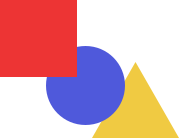
Symbol

  • Symbol

    SVG · vector · 0.3 kBPNG · 1,024 × 789 px · 18.9 kB

    Square, circle and triangle — wherever the wordmark would be under 82 px wide.

  • App icon

    SVG · vector · 0.3 kBPNG · 512 × 512 px · 6.9 kB

    The 64 × 64 favicon tile — for avatars and shortcuts.

Colours

  • Colour palette

    JSON · 13.5 kB

    Core colours in both themes, fixed colours, accents, shades, gradients and WebGL ramps.

  • CSS tokens

    CSS · 1.6 kB

    The :root block with light-dark() and the four-size type scale — straight from the site’s code.

Everything

  • Brand kit

    ZIP · 3.9 MB

    Everything above plus the section glyphs, Tri, gradient posters 1920 × 1080, the grain and a README.

PDF

  • The book as a PDF

    Print this page or save it as a PDF — every section starts a new page.

Typeface

  • Haus

    Haus licence: [DO UZUPEŁNIENIA: distributor URL]

    Pier Francesco Martini, 2013. The typeface is licensed, so it is not in the kit — the wordmark files are outlines.

You may use the loom.studio logo and marks to show that you work with us — unchanged and as described here. [DO WERYFIKACJI PRAWNEJ]

Need a brand book like this for your brand?

Book a call